Watch YouTube with live subtitles
Real-time synced subtitle overlays on any YouTube video. Switch between YouTube captions and AI transcription. Customize everything. Click to seek.
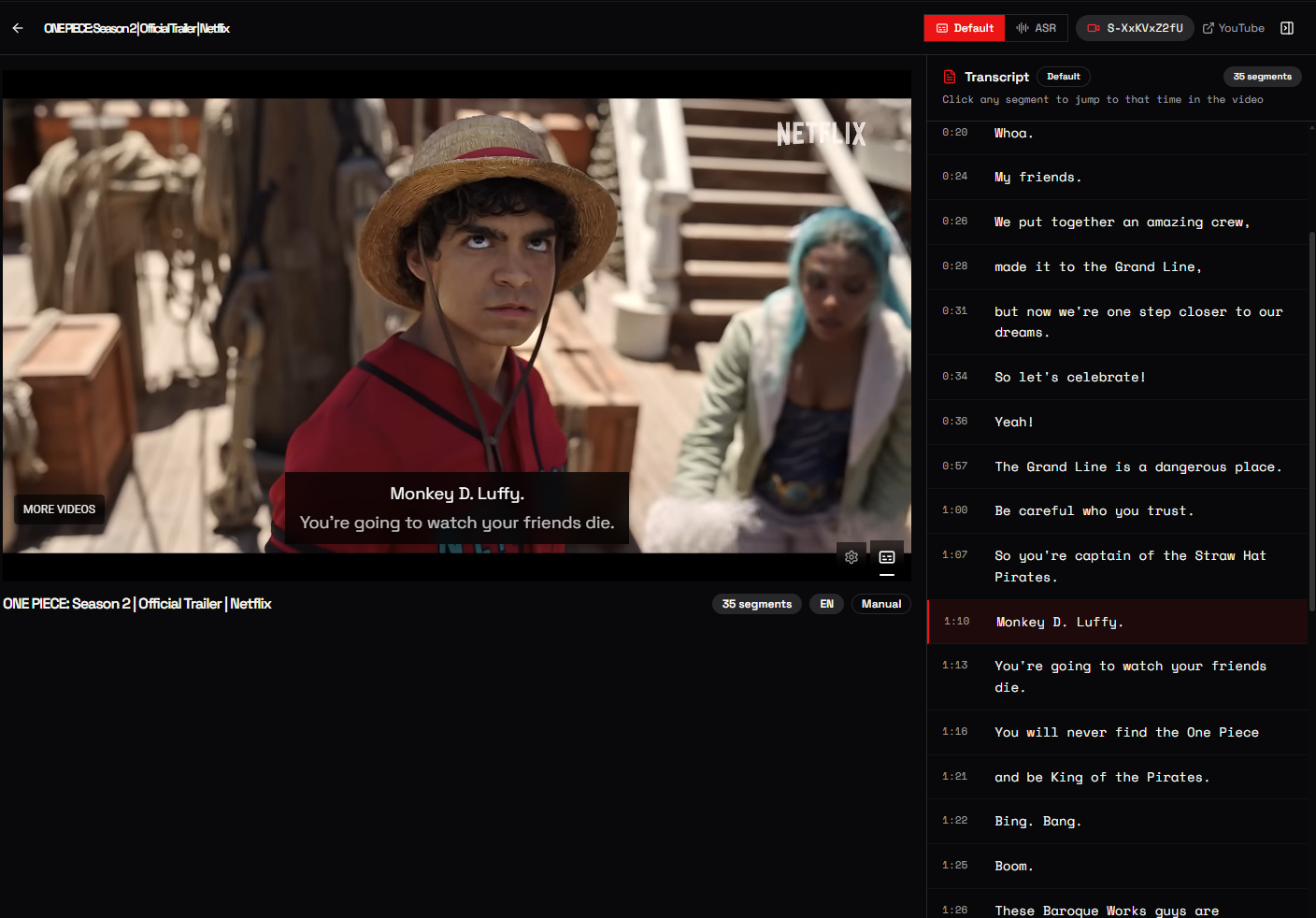
EVERYTHING YOU NEED
A complete video watching experience with transcripts at your fingertips.
LIVE SUBTITLE OVERLAY
Real-time synced subtitles displayed directly on the video. For default captions, two segments are shown simultaneously so the spoken text is always visible: no more lag.
DEFAULT & ASR SOURCES
Toggle between YouTube's built-in captions and AI-powered Audio Speech Recognition. ASR provides more accurate timestamps and works even when YouTube captions don't exist.
ON-DEMAND TRANSCRIPTION
No transcript yet? Extract one directly from the viewer: choose Default or ASR. Credits are deducted automatically. No need to leave the page.
SUBTITLE CUSTOMIZATION
Control font size (12-36px), text color, background color & opacity, and subtitle position (top, center, bottom). Make subtitles work for your setup.
SYNCED TRANSCRIPT SIDEBAR
A collapsible side panel shows the full transcript. It auto-scrolls with playback and lets you click any segment to seek the video to that exact moment.
INSTANT VIDEO LOADING
Paste any YouTube URL or video ID. Or pick from your recent transcript history with thumbnail previews. Start watching in seconds.
HOW IT WORKS
Open Viewer
Navigate to the Interactive Viewer from your dashboard.
Pick a Video
Paste a YouTube URL or select from your recent transcripts.
Choose Source
Switch between Default captions or ASR. Extract on the fly if needed.
Watch & Read
Enjoy synced subtitles on the video with the full transcript in the sidebar.
DEFAULT VS ASR
Start watching with subtitles
No downloads. No extensions. Just paste a URL and go.