IBM TECHNOLOGY · LATEST VIDEO
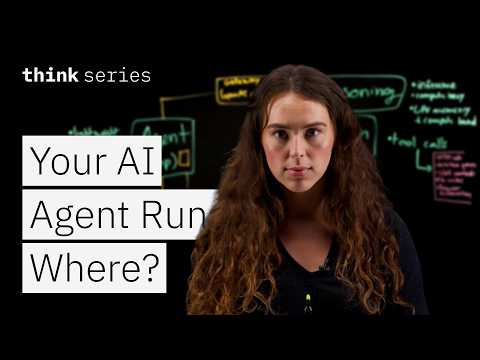
AI Agent Architecture: Where Does Your Agent Actually Run? — Transcript
Full Timestamped Transcript
The question where does your AI agent actually run encompasses four different questions because your agent is not one workload, it's four. We have the reasoning workload, which is inference. Then we have the agent itself, which is lightweight code that loops. And then we have the action plane, which is where all of our tool calls are occurring.
And then finally we have state, so that we can actually keep track of the actions that the agent has taken. So all of these have radically different resource, security and failure profiles, which means on a cluster there are four different workloads, with four different scaling signals. Now this one is for the production engineers. And by the end of this when someone says that they've deployed an agent, hopefully you can ask about these four different aspects, and know what a good answer looks like. The reasoning plane is model inference.
These are the forward passes through the transformer that produce output tokens. It's compute heavy, and its GPU, memory, and compute bound. You can check out our video on kV cache if you'd like to learn more about this. But our reasoning plane runs wherever model weights are loaded.
This could be an API provider's data center, available in pod on your cluster, an LLaMA process on your laptop. And on the cluster, this is a vLLM or llm-d deployment, pinned to GPU nodes. Next, let's talk about the agent loop itself. This is the code that assembles a prompt, calls a model, parses the response, decides whether a tool was requested, dispatches it, and appends the results. Loop loop loop.
And this is our actual agent. Now the overall shape of this code, is the same regardless of framework. t's a wall loop, it calls the model with the message history, and if the response asks for a tool, run it and append the result. If not, you're done. Now different frameworks will add better state management, persistence, human in the loop gates, structured handoffs between multiple loops. But the skeleton here is going to very much remain the same.
Now it's lightweight code, whose latency actually comes from waiting on network responses. So on the cluster, a stateless deployment on cheap CPU nodes scaled horizontally with HPA costing almost nothing. Never co-schedule it on your GPU nodes, that's paying GPU prices for a while loop that's asleep 99% of the time. Okay, now let's talk about the part of this architecture that allows the system to take actions. This is where we are going to make tool calls.
Now this is going to be the code that actually touches the world. So HTTP calls, database queries, shell commands, file rights, browser automation. And it is the security crucial portion of this architecture. Because this is where a model's output has side effects and our where question that we started this series with, is really a trust question. It's what can reach, what can this code reach, and with whose credentials?
Now this is what we sandbox. Ephemeral, short lived pods, or jobs, or quarter containers, and a default deny network policy, with explicit egress allow list, and a service account scoped to exactly the tools task needs. The tool gets its own identity, never the loop's credentials. An agent that can't remember anything is not useful. Our system here needs to be able to remember conversations, task status, checkpoints, and locally this lives in a Python list in process memory.
Now the loop is going to hold the entire state in messages. And in production, whether that state lives inside this agent process or is externalized here, is the single biggest architectural fork. Now, on Kubernetes, this is the difference between an agent, that's a stateful set clinging to a PVC, and an agent thats a stateless deployment, checkpointing to Postgres or Redis. Now externalize the state, and your pods can crash, get rescheduled mid-task, scale down to zero overnight and resume from the last checkpoint, like nothing happened.
But if you keep the state in the process, and every pod restart, equals amnesia. So an agent whose memory is fickle is not really tenable in production. Okay, a couple deployment tips before I leave, y'all. Scale each of these planes on their own signal. KV cache pressure, request concurrency, job queue depth, and storage. One autoscaler for all four is going to be wrong for at least three of them. Next, consider a checkpoint before every tool call, not just after, and make tool calls impotent because a resumed loop may retry the one it died on.
Next, and this one's very important, give the action plane its own credentials, with the shortest lifetime you can tolerate. The model's output should never inherit the agent's keys. Now, finally, keep this loop boring. The more logic you push into that loop container, the harder it is to make it stateless and disposable. Next time someone says we've deployed an agent, you've now got your four lines of questioning. Where do the weights live?
Where does the loop run? What can the tools touch and as whom? And where does state survive after restart? Four planes, four workloads, four answers. And now you know what good ones look like. Thanks so much for watching.
SHARE THIS TRANSCRIPT
Also on The AI 30
FULL CHART →- 4
 NVIDIA: One name. Two worlds. A shared commitment to safety. 🏔️🚗
- 5
 OpenAI: You had us at Deployed
- 6
 Two Minute Papers: Claude AI’s Biggest Math Breakthrough Has A Problem.
- 8
 Andrej Karpathy: How I use LLMs
- 9
 StatQuest with Josh Starmer: Principal Component Analysis (PCA): Concepts and Code
- 10
 Krish Naik: Build with IBM Bob: It’s More Than Just a Vibe! | Event Vlog with Krish Naik